5 Ways to Sell Digital Products Using Social Media

5 Ways to Sell Digital Products Using Social Media
Let’s be honest: social media can feel like a lot.
One minute you’re creating a Reel, the next you’re replying to comments, checking your analytics, and wondering whether anyone is actually clicking the link in your bio. But when you use it with a clear strategy, social media can be one of the easiest ways to get your digital products in front of the right people.
Whether you sell ebooks, templates, online courses, printables, presets, or digital planners, you don’t need a massive audience to make sales. You need a helpful product, a clear message, and content that makes people think, “Yep, this is exactly what I need.”
Here are five practical ways to make that happen.
1. Share Helpful Content That Solves a Real Problem
People usually don’t open Instagram, TikTok, or Facebook hoping to see a sales pitch. They’re looking for ideas, entertainment, inspiration, or answers to something they’re struggling with.
That’s where your content comes in.
Think about the problem your digital product solves, then create posts around that problem. For example, if you sell a budgeting spreadsheet, you could share simple saving tips, common budgeting mistakes, or a quick tutorial showing how you organize your monthly expenses.
If you sell a content planner, you might post caption ideas, planning tips, or ways to stop staring at a blank screen every time it’s time to create content.
The goal is to give your audience a small win. When your free content is genuinely useful, people begin to trust you. Your paid product then becomes the natural next step for anyone who wants more help.
You don’t need to hide your best advice, either. Sharing valuable information doesn’t make your product less appealing. It shows people that you know what you’re talking about.
2. Show Your Product in Action
Digital products can be tricky to sell because people can’t physically pick them up, flip through them, or try them on.
So, show them.
Create a screen recording of your template. Film yourself using your planner. Give people a quick tour of your course. Share a before-and-after example that shows what changed after using your product.
Instead of only saying, “This planner has 50 pages,” explain what those pages actually help someone do. Maybe they help a busy business owner organize a month of content in one afternoon. Maybe they help a student feel less overwhelmed during exam season.
Features tell people what they’re getting. Results help them understand why they should care.
The easier it is for someone to picture themselves using your product, the easier it becomes for them to make a buying decision.
3. Share Reviews and Customer Success Stories
You can talk about how amazing your product is all day, but hearing it from a real customer carries a little more weight.
That’s why social proof matters.
Share testimonials, reviews, customer messages, and user-generated content. A simple screenshot of a happy customer’s message can be powerful, as long as you ask permission and remove any private information.
Try to highlight specific results whenever possible.
“This was great” is nice.
“This template helped me plan my launch and saved me five hours a week” is much more convincing.
Specific testimonials help potential customers understand what your product could do for them. They also reduce some of the hesitation that comes with buying from someone new.
And don’t worry if you’re just getting started and don’t have dozens of reviews yet. One honest, detailed testimonial is more useful than ten vague ones.
4. Make It Easy for People to Buy
Sometimes the product isn’t the problem. The buying process is.
Someone sees your post, feels interested, visits your profile, clicks your link, lands on a page with twelve options, gets confused, and leaves. It happens more often than you’d think.
Keep the path from your content to your product as simple as possible.
Use a clear link in your bio, and make sure the product you’re promoting is easy to find. Your sales page should quickly answer the main questions: What is it? Who is it for? What’s included? How will it help?
Your calls to action should also be clear. Tell people exactly what to do next.
Try phrases like:
“Download the full guide through the link in my bio.”
“Grab the template and start planning today.”
“Visit my shop to see everything that’s included.”
People aren’t mind readers. A clear invitation can be the small nudge they need.
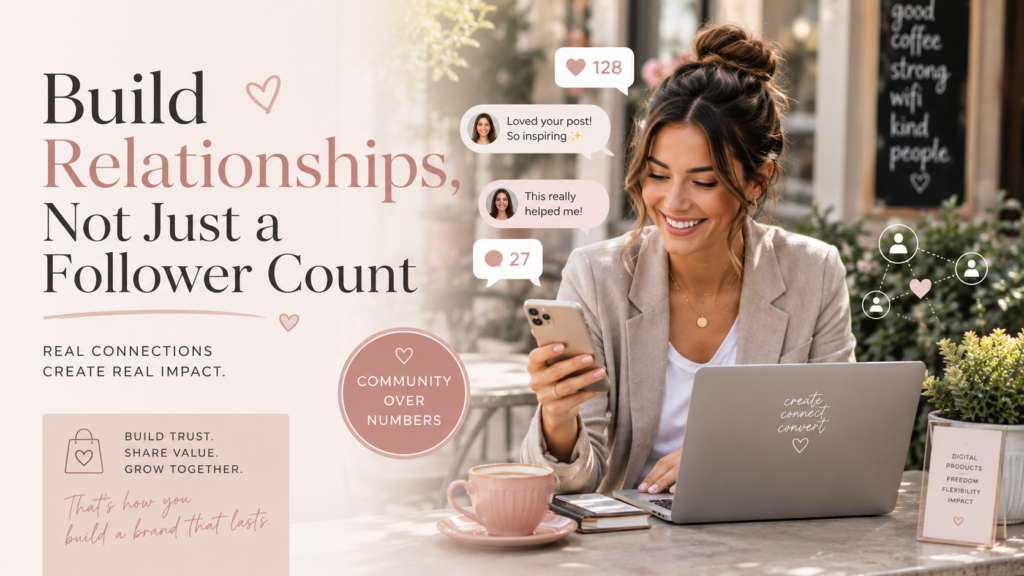
5. Build Relationships, Not Just a Follower Count
It’s easy to get caught up in numbers, but a large audience doesn’t automatically equal sales.
A smaller audience that knows, likes, and trusts you can be far more valuable.
Reply to comments. Answer questions. Respond to messages. Ask your followers what they’re struggling with. Pay attention to the words they use when describing their problems.
Those conversations do more than build relationships. They also give you content ideas and help you improve your products.
You don’t need to post on every platform, either. Choose one or two places where your ideal customers already spend time and focus on showing up consistently.
Mix educational content with personal stories, product demonstrations, customer results, and direct promotions. You’re running a business, so it’s completely okay to talk about what you sell.
Final Thoughts
Selling digital products on social media doesn’t have to feel pushy or complicated.
Start by being helpful. Show people how your product works, share real customer experiences, make the buying process simple, and take the time to connect with your audience.
You don’t need viral content or thousands of followers. You need the right people to understand how your product can make their lives easier.
Help first, build trust, and make the offer. That’s where the sales begin.
KEEP BUILDING
Continue your journey.
Use the next lesson, free resource, or product to move from learning to action.
More practical guidance
Start with a useful quick win.
Download a planner, checklist, or starter guide and take one focused action today.
Explore Free Resources →Turn the lesson into an offer.
Browse beginner-friendly products and PLR resources with clear licensing and launch guidance.
Shop Digital Products →